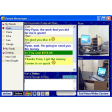
Screenshots
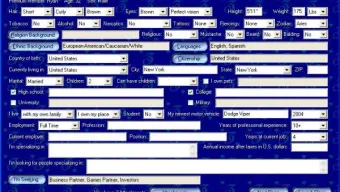

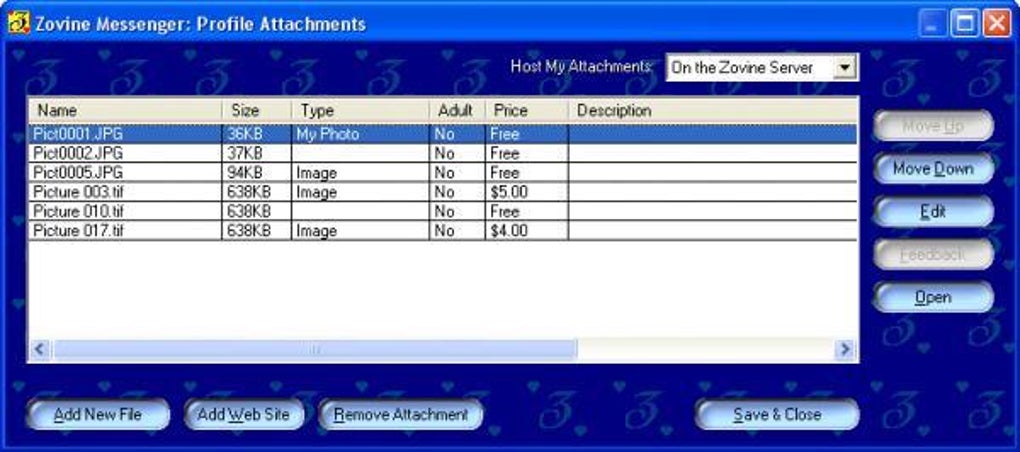
App details
- Version
- 2.0.22
- Size
- 1.83 MB
- Updated
- November 14, 2005
- Requires
- Windows XP
- Language
- English
- License
- Free
- Developer
- Zovine
- Category
- Windows OS
SoftPas in:
This product is also available in the following languages:
About Zovine Messenger
Download Zovine Messenger – Free, Secure Multi-Network Chat Client for Windows, Mac, Android & iOS
Zovine Messenger is a lightweight, highly customizable chat client designed for users who manage multiple instant messaging accounts across different platforms. With support for AIM, ICQ, MSN, Yahoo, and Jabber, this free software offers a seamless experience for staying connected across networks without switching between apps. Despite its age—last updated in 2005—Zovine Messenger remains a reliable choice for users seeking a secure, low-resource messaging tool. Available for Windows 98 and later, as well as Mac, Android, and iOS, it continues to serve a global audience, especially in regions like the Islamic Republic of Iran, the United States, and India. Its minimal system footprint and intuitive interface make it ideal for older devices or users who prefer a no-frills communication solution. Whether you're a student, remote worker, or digital nomad, Zovine Messenger delivers dependable messaging with strong privacy features and real-time chat capabilities.
Key Features of Zovine Messenger
Zovine Messenger stands out in the crowded instant messaging market due to its unique blend of simplicity, functionality, and customization. One of its most praised features is its multi-network support, allowing users to connect to AIM, ICQ, MSN, Yahoo, and Jabber from a single interface. This eliminates the need to run multiple clients, reducing clutter and improving productivity. The software’s lightweight design ensures it runs smoothly even on older systems, consuming minimal RAM and CPU—ideal for users with limited hardware resources.
Another standout feature is its high level of customization. Users can modify themes, fonts, colors, and notification sounds to create a personalized chat experience. The interface is fully configurable, enabling you to rearrange panels, hide or show contact lists, and adjust window layouts. This flexibility makes it a favorite among power users who want control over their digital workspace.
Zovine Messenger also prioritizes security. It uses encrypted connections for data transmission, helping protect sensitive conversations from eavesdropping. While it doesn’t offer end-to-end encryption by default, its secure protocols provide a solid foundation for private communication. Additionally, the software includes built-in spam filtering and anti-flood protection, minimizing disruptions from unwanted messages or bots.
For those who value efficiency, Zovine Messenger supports keyboard shortcuts, auto-reconnect, and offline message storage. You can schedule messages, set away messages, and even export chat logs for record-keeping. These tools make it a versatile choice for both casual and professional use.
- Multi-network support: AIM, ICQ, MSN, Yahoo, Jabber
- Lightweight design – low system resource usage
- Highly customizable interface and themes
- Encrypted connections for secure messaging
- Spam filtering and anti-flood protection
- Keyboard shortcuts and auto-reconnect features
- Offline message storage and chat logging
- Support for custom notifications and sounds
Installation & Usage Guide
Installing Zovine Messenger is a straightforward process, even for users with limited technical experience. Begin by visiting the official download page and selecting the version compatible with your operating system—Windows, Mac, Android, or iOS. The Windows version is the most mature, with full functionality, while the mobile versions offer core features with a streamlined interface.
Once downloaded, run the installer file. The setup wizard will guide you through the process with minimal steps—just click “Next” and accept the default settings unless you have specific preferences. The installation typically takes less than a minute and requires no additional software dependencies. After installation, launch the app and you’ll be prompted to add your chat accounts.
To set up your accounts, go to the “Accounts” menu and select “Add New Account.” Choose your network (e.g., AIM, Yahoo), enter your username and password, and click “Connect.” Zovine Messenger will verify your credentials and sync your contacts. You can repeat this process for each network you use. Once all accounts are linked, you’ll see a unified contact list with status indicators (online, away, offline).
For daily use, simply double-click a contact to start a chat. You can send text, images, and files (within size limits), and use built-in emoticons. To customize your experience, access the “Settings” menu to tweak themes, notification preferences, and privacy options. You can also enable auto-reconnect so your chat sessions resume automatically after a network disruption.
For advanced users, Zovine Messenger supports scripting and plugins via third-party tools, allowing you to extend functionality. While official support for these is limited due to the software’s age, a small but active community shares useful add-ons and tutorials online.
Compatibility & System Requirements
Zovine Messenger is designed with broad compatibility in mind, making it accessible to a wide range of users across different devices and operating systems. The software officially supports Windows 98 and later versions, including Windows XP, Vista, 7, 8, and 10. This backward compatibility is a major advantage for users still relying on legacy systems or older hardware.
For Mac users, a native version is available for macOS X and later, though it may require Rosetta or compatibility mode on newer Apple Silicon Macs. The mobile versions are available on both Android and iOS, offering a responsive interface optimized for touchscreens. These apps are lightweight and function well on devices with limited storage and processing power.
System requirements are modest, reflecting the software’s focus on efficiency. On Windows, you’ll need at least 128 MB of RAM and 10 MB of free disk space. For Mac, the requirements are similar. Mobile versions require Android 5.0+ or iOS 10.0+ to run smoothly.
Despite being last updated in 2005, Zovine Messenger continues to function reliably on modern networks. Its use of stable, well-established protocols ensures compatibility with current servers. However, users should be aware that some newer features—like voice or video calling—aren’t supported. For text-based communication, it remains a solid choice.
For users concerned about security, it’s recommended to use strong passwords and avoid sharing sensitive information over public networks. While the software itself is secure, user behavior plays a critical role in maintaining privacy.
Pros and Cons of Zovine Messenger
Pros
- Free to download and use – No hidden costs or subscription fees.
- Lightweight and fast – Runs smoothly on older or low-end devices.
- Multi-network support – Manage all your accounts from one interface.
- Highly customizable – Themes, fonts, and layouts can be tailored to preference.
- Secure connections – Encrypted data transmission protects your chats.
- Low resource usage – Minimal impact on CPU and RAM.
- Offline message storage – Never miss a message during downtime.
Cons
- Outdated interface – The design feels dated compared to modern apps.
- No official updates since 2005 – May lack support for new security standards.
- No voice or video calling – Limited to text-based communication.
- Mobile versions are basic – Lack advanced features found in newer apps.
- Community support is limited – Few official resources or documentation.
Frequently Asked Questions (FAQ)
Conclusion & Final Verdict
Zovine Messenger remains a surprisingly relevant tool for users seeking a lightweight, free, and secure way to manage multiple instant messaging accounts. Despite its age, its core functionality—multi-network support, low resource usage, and strong encryption—still holds up today. It’s especially valuable for users with older computers, those in regions with limited internet access, or anyone who prefers a no-nonsense chat client without bloat.
While it lacks modern features like voice calls, video chat, and regular updates, its simplicity and reliability make it a solid choice for text-based communication. If you’re looking for a dependable, free messaging app that works across Windows, Mac, Android, and iOS, Zovine Messenger is definitely worth a download.
Download Zovine Messenger today and experience a fast, secure, and customizable chat client that’s been trusted by thousands worldwide.
Guides & Tutorials
How to install Zovine Messenger
- Click the Download button above.
- Once redirected, accept the terms and click Install.
- Wait for the Zovine Messenger download to finish on your device.
How to use Zovine Messenger
This software is primarily used for its core features described above. Open the app after installation to explore its capabilities.
User Reviews
No reviews yet. Be the first to share your experience.
You may also like
more
Llama 2
Free-to-use large language model As the new addition to Meta’s arsenal of langua...

NotebookLM
Revolutionizing the note-taking and idea-generation process NotebookLM is an exp...

Github co pilot
AI-inspired software development and coding platform GitHub Copilot is a browser...

Google Gemma
Google’s lightweight AI models Introducing Google Gemma , a family of cutting-ed...

AI Image Enlarger
A free app for Windows, by ai-image-larger. AI Image Enlarger is a free software...

DALL E
AI-driven text-to-image transformation engine DALL·E is a free graphic and desig...